Many people search for “Edge or Chrome” because they want to know which browser is better for daily use. Both are made by big tech companies. Still, choosing between them feels confusing.
Google Chrome has been the most used browser for years. Microsoft Edge is newer but has improved a lot. Some users say Edge is faster. Others trust Chrome more. Many are unsure which browser uses less RAM, gives better privacy, or works best on Windows.
This article clears that confusion. You will learn what Edge and Chrome are, how they differ, and which one suits your needs. We will compare speed, features, security, privacy, battery usage, and real-life performance. By the end, you will know exactly whether Edge or Chrome is right for you.
More to know about Confused between lien and levy? This guide makes it clear 2026
Edge or Chrome ; Quick Answer
The short answer is:
- Microsoft Edge is better for Windows users, battery life, and built-in features.
- Google Chrome is better for Google services, extensions, and cross-platform use.
👉 Edge = Efficiency
👉 Chrome = Ecosystem
What Is Google Chrome?
Simple Definition
Google Chrome is a web browser made by Google. It was released in 2008 and is now the most popular browser in the world.
Key Features of Chrome
- Fast browsing
- Large extension store
- Syncs with Google account
- Works on all devices
- Simple design
Chrome is designed to work best with:
- Gmail
- Google Drive
- YouTube
- Google Docs
Who Should Use Chrome?
Chrome is best for:
- Heavy Google users
- People using many extensions
- Users on multiple devices
- Developers and students
What Is Microsoft Edge?
Simple Definition
Microsoft Edge is a web browser made by Microsoft. The modern Edge is based on Chromium, the same engine as Chrome.
Key Features of Edge
- Fast and lightweight
- Uses less RAM
- Built-in privacy tools
- Vertical tabs
- PDF reader
- AI tools (Copilot)
Edge is designed to work best with:
- Windows
- Microsoft Office
- Bing
- OneDrive
Who Should Use Edge?
Edge is best for:
- Windows users
- Laptop users
- Office workers
- Battery-focused users
Edge or Chrome: Speed Comparison
Chrome Speed
- Very fast on most websites
- Smooth performance
- Slightly heavy on resources
Edge Speed
- Equally fast or faster
- Better optimization on Windows
- Faster startup in many cases
Winner: 🏆 Edge (slightly faster on Windows)
Edge or Chrome: RAM Usage
Chrome RAM Usage
- Known for high RAM use
- Each tab uses memory
- Slows low-end PCs
Edge RAM Usage
- Uses less RAM
- Sleeping tabs feature
- Better for older systems
Winner: 🏆 Edge
Edge or Chrome: Battery Life
Chrome Battery Impact
- Drains battery faster
- Background activity
Edge Battery Impact
- Optimized for Windows
- Better battery performance
- Energy-saving mode
Winner: 🏆 Edge
Edge or Chrome: Privacy & Security
Chrome Privacy
- Strong security
- Data linked to Google account
- More tracking concerns
Edge Privacy
- Built-in tracking prevention
- Clear privacy settings
- Less aggressive data use
Winner: 🏆 Edge
Edge or Chrome: Extensions
Chrome Extensions
- Largest extension store
- Thousands of options
- Best support
Edge Extensions
- Supports Chrome extensions
- Microsoft Add-ons store
- Smaller library
Winner: 🏆 Chrome
Edge or Chrome: User Interface
Chrome UI
- Clean and simple
- Minimal options
- Easy for beginners
Edge UI
- More features
- Custom layouts
- Vertical tabs option
Winner: 🏆 Depends on preference
Edge or Chrome: Cross-Platform Support
| Platform | Chrome | Edge |
| Windows | ✅ | ✅ |
| macOS | ✅ | ✅ |
| Linux | ✅ | ❌ |
| Android | ✅ | ✅ |
| iOS | ✅ | ✅ |
Winner: 🏆 Chrome
Edge or Chrome: Sync & Accounts
Chrome Sync
- Google account sync
- Bookmarks, history, passwords
- Very smooth
Edge Sync
- Microsoft account sync
- Works well on Windows
- Improving fast
Winner: 🏆 Chrome
Edge or Chrome: Built-in Features
| Feature | Edge | Chrome |
| PDF reader | ✅ Advanced | ❌ Basic |
| Screenshot tool | ✅ | ❌ |
| Reading mode | ✅ | ❌ |
| AI assistant | ✅ | ❌ |
| Password manager | ✅ | ✅ |
Winner: 🏆 Edge
Edge or Chrome: For Students
- Chrome works best with Google Classroom
- Edge helps with PDF notes and reading
Winner: 🏆 Tie
Edge or Chrome: For Office Work
- Edge integrates with Microsoft Office
- Better document handling
Winner: 🏆 Edge
Edge or Chrome: For Developers
- Chrome DevTools are industry standard
- Better debugging support
Winner: 🏆 Chrome
Common Mistakes When Choosing Edge or Chrome
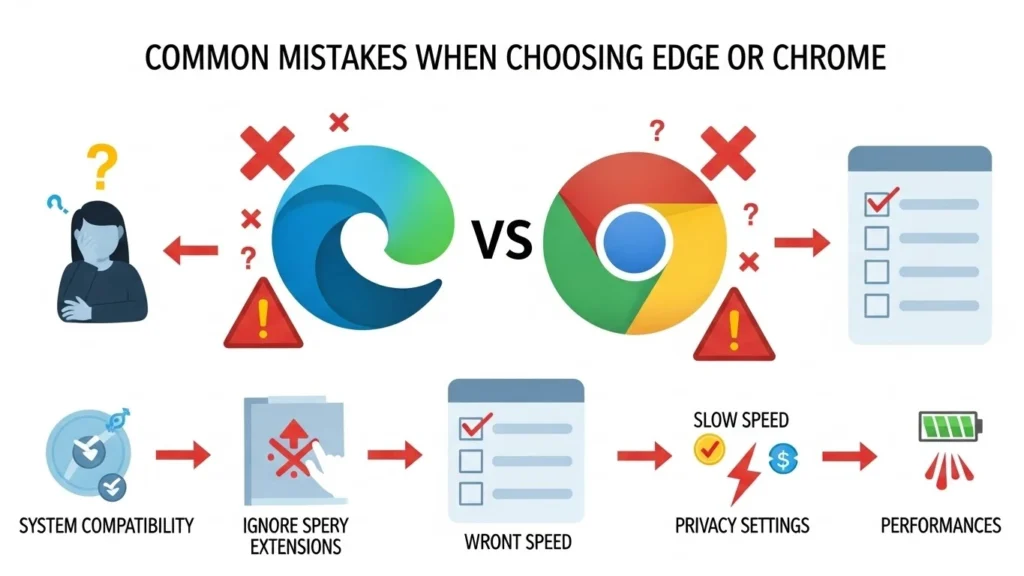
Mistake 1: Thinking they are very different
❌ Wrong
✔ Both use Chromium
Mistake 2: Assuming Edge is slow
❌ Wrong
✔ Edge is very fast
Mistake 3: Using Chrome on low-RAM PCs
❌ Not ideal
✔ Edge works better
Edge or Chrome: Usage by Country
- Chrome dominates globally
- Edge is popular in Windows-heavy regions
- Edge usage is growing fast
Edge or Chrome ; Comparison Table
| Feature | Edge | Chrome |
| Speed | ⭐⭐⭐⭐ | ⭐⭐⭐⭐ |
| RAM usage | ⭐⭐⭐⭐⭐ | ⭐⭐⭐ |
| Battery life | ⭐⭐⭐⭐⭐ | ⭐⭐⭐ |
| Extensions | ⭐⭐⭐ | ⭐⭐⭐⭐⭐ |
| Privacy | ⭐⭐⭐⭐ | ⭐⭐⭐ |
| Windows support | ⭐⭐⭐⭐⭐ | ⭐⭐⭐⭐ |
FAQs
1. Is Edge better than Chrome?
For Windows users, yes. For Google users, Chrome is better.
2. Does Edge use less RAM than Chrome?
Yes.
3. Is Chrome faster than Edge?
They are almost equal. Edge is slightly faster on Windows.
4. Can Edge use Chrome extensions?
Yes.
5. Is Edge safer than Chrome?
Edge has stronger built-in privacy tools.
6. Which browser is best for laptops?
Edge, because of better battery life.
7. Which browser should I choose?
Choose based on your needs.
Which One Should You Choose?
Choose Edge if:
- You use Windows
- You want better battery life
- You prefer built-in tools
- You care about privacy
Choose Chrome if:
- You use Google services
- You need many extensions
- You switch devices often
- You are a developer
Conclusion
The choice between Edge or Chrome depends on how you use the internet. Both browsers are fast, modern, and secure. Chrome shines with its extension ecosystem and Google integration. Edge stands out with efficiency, battery savings, and smart built-in features.
If you are a Windows user who wants smooth performance and longer battery life, Edge is the better choice. If you rely heavily on Google apps and extensions, Chrome remains the top option.
There is no wrong choice. Try both and see which fits your style. Browsers are tools, and the best tool is the one that works best for you.

Hye ! I am Henry P. Whitmore i am English writer known for my clear and practical approach to English grammar, word usage, and language clarity. I focuses on helping learners, writers, and professionals understand confusing English terms in a simple way. My work is especially useful for people who struggle with spelling differences, word meanings, and correct usage in everyday writing